Documentation Maintenance Tools in 2026: A Buyer's Guide
Compare seven documentation maintenance tools for 2026 by how each detects outdated content, which sources it uses, and how proposed updates are reviewed and approved.
- Written by
- Evan Shamoon (opens in a new tab)
- Published on
- Read time
- 14 min

Documentation rarely falls behind because a team cannot write. It falls behind because the product changes in one place while its documentation lives somewhere else.
An engineer merges a new authentication flow. Support discovers an undocumented limitation. Product renames a feature. Weeks later, the quickstart, troubleshooting guide, and API example still describe the old behavior.
A writing assistant can make those pages sound better. It cannot necessarily recognize that they are wrong.
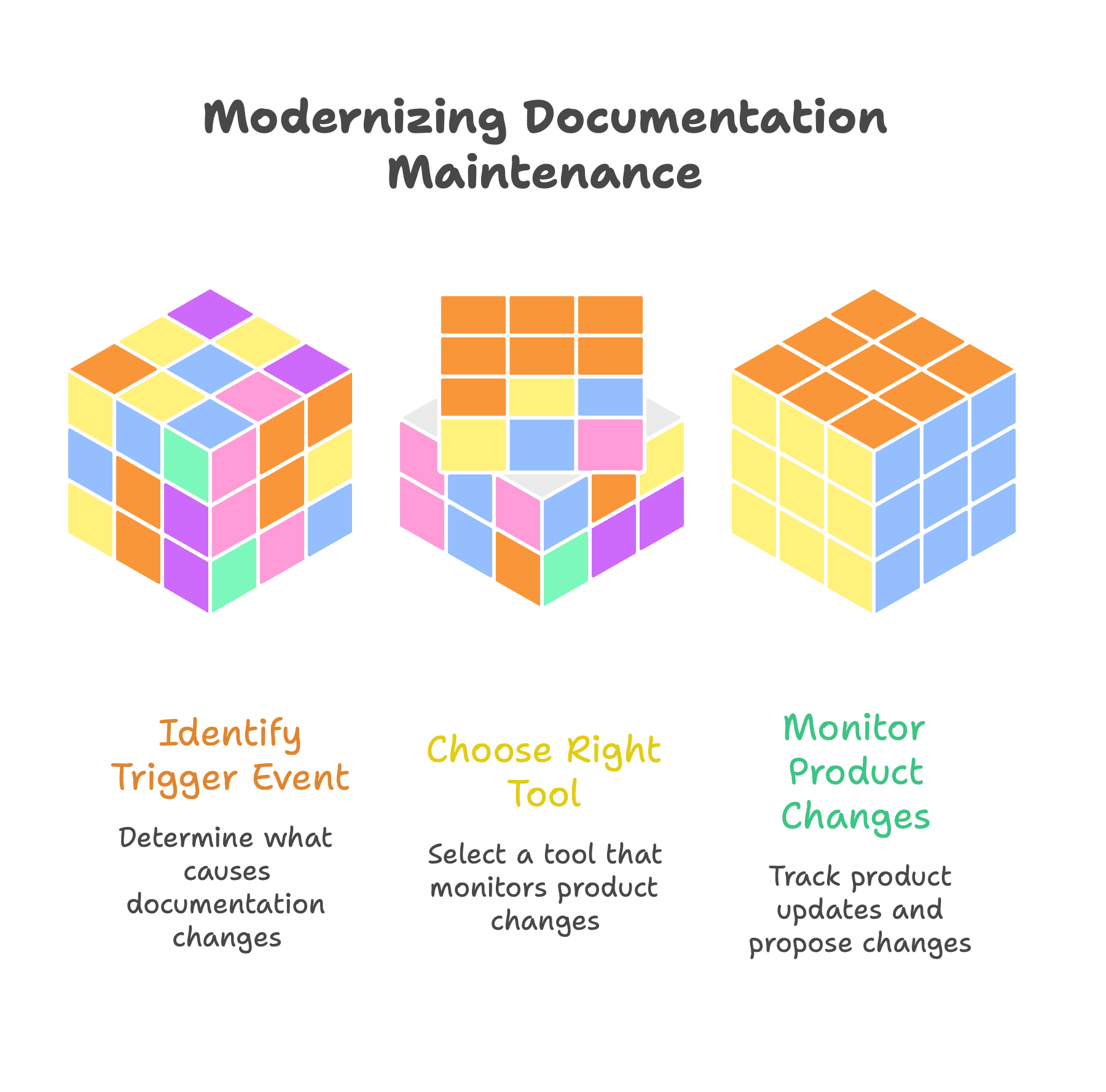
That distinction matters when comparing documentation maintenance tools. Some host documentation. Some generate API references. Some schedule periodic reviews. Others monitor product changes and propose updates for approval.
The right choice begins with one question:
What event should cause your documentation to change?
What counts as a documentation maintenance tool?
Documentation software covers several different jobs:
- Writing and publishing content
- Hosting a developer portal or knowledge base
- Generating API references
- Enforcing editorial or API standards
- Scheduling content reviews
- Detecting when product changes affect existing pages
- Turning code, support conversations, and internal knowledge into proposed updates
These capabilities overlap, but they are not interchangeable.
If the current documentation site is difficult to navigate or customize, replacing the publishing platform may make sense. If the site works but its content keeps falling behind the product, a migration may create considerable work without fixing the maintenance problem.
True maintenance begins before someone edits a page. The system first has to notice that an update is needed.
How we selected the tools in this guide
This guide compares seven products representing different approaches to maintaining technical documentation in 2026.
We evaluated the tools using information published in their official product documentation and websites. We considered six practical criteria:
- How the product identifies content that may need an update
- Which information sources it can use
- Whether it can draft or implement changes
- How contributors review and approve updates
- Which documentation formats and workflows it supports
- Where its maintenance capabilities begin and end
This is not a numerical ranking. A tool designed for OpenAPI governance should not be judged as though it were an internal code-documentation platform. Each product is evaluated according to the maintenance problem it is designed to solve.
Features, packaging, and availability can change. Buyers should verify current capabilities with each provider before making a purchasing decision.
Four ways tools discover outdated documentation
Scheduled reviews
Scheduled-review systems flag content after a defined period.
This approach works well for policies, compliance material, internal procedures, and content with predictable review requirements. Document360, for example, supports recurring reminders, assigned reviewers, bulk scheduling, and a visible "Stale" state when an article reaches its review date. Document360 review reminders
The limitation is that age does not prove inaccuracy. A two-year-old conceptual guide may still be correct, while yesterday's release may already have broken a tutorial.
API specification changes
Specification-driven platforms generate or validate documentation from OpenAPI, AsyncAPI, gRPC, or another technical definition.
Redocly can lint API descriptions against built-in or customized rules, helping teams catch structural problems and enforce API standards. Redocly CLI linting
Fern can generate API references and SDK examples from shared API definitions. Fern documentation quickstart
This model is reliable for reference material, but specifications do not contain everything users need. Tutorials, UI instructions, troubleshooting advice, and support knowledge usually require other sources.
Changes to referenced code
Code-coupled tools connect documentation to the implementation it describes.
Swimm's continuous-documentation model stores documentation with the code and can identify when related code changes. Its approach primarily targets internal engineering knowledge, onboarding, and codebase understanding. Swimm's continuous-documentation model
This works well when the documentation explains architecture, services, functions, or implementation decisions. It is less complete when maintenance also depends on customer questions, product decisions, and public documentation.
Product and customer signals
Product-change-aware systems use events such as merged pull requests, internal discussions, support conversations, page feedback, or unsuccessful searches to identify possible gaps.
EkLine's Docs Agent works from product signals such as pull requests, tickets, and connected sources including Slack, Notion, Confluence, and Jira, then drafts or updates the affected pages and opens a pull request. Automatic PR review analyzes each pull request as it opens and starts a documentation update when it detects impact, while scheduled agents review recent activity on a cadence to catch changes that merged without a docs update. Docs Reviewer checks style, grammar, terminology, and structure before content merges. EkLine product documentation
Mintlify offers workflows triggered by schedules or product events. It can also use documentation-assistant questions and page feedback to surface possible gaps. Mintlify AI-native documentation
This approach can cover more of the documentation lifecycle, but buyers must verify how each system selects sources, finds affected pages, and presents evidence to reviewers.
Documentation maintenance tools compared
| Tool | Best for | Maintenance approach | Important limitation |
|---|---|---|---|
| Document360 | Knowledge bases with formal governance | Scheduled reviews, assigned reviewers, and stale-content states | A review date does not identify which product change made a page inaccurate |
| EkLine | Adding source-aware maintenance and review to an existing documentation stack | Product signals, code changes, connected knowledge, and automated review | It is a maintenance and review layer rather than a complete documentation host |
| Fern | Keeping SDKs and API references aligned | Specification-driven generation and validation | It cannot derive every tutorial or support answer from an API definition |
| GitBook | Cross-functional authoring and controlled approvals | Change requests, previews, reviews, and AI-assisted edits | Collaborative editing does not automatically provide broad product-change detection |
| Mintlify | Combining documentation hosting and AI-assisted maintenance | Events, schedules, specifications, feedback, and assistant conversations | Its broadest value depends on adopting Mintlify as part of the publishing stack |
| Redocly | Governing OpenAPI descriptions and API references | Specification linting, validation, and configurable API rules | Its strongest maintenance controls focus on API descriptions |
| Swimm | Maintaining internal engineering knowledge connected to code | Code coupling and continuous verification | It is primarily oriented toward internal code understanding |
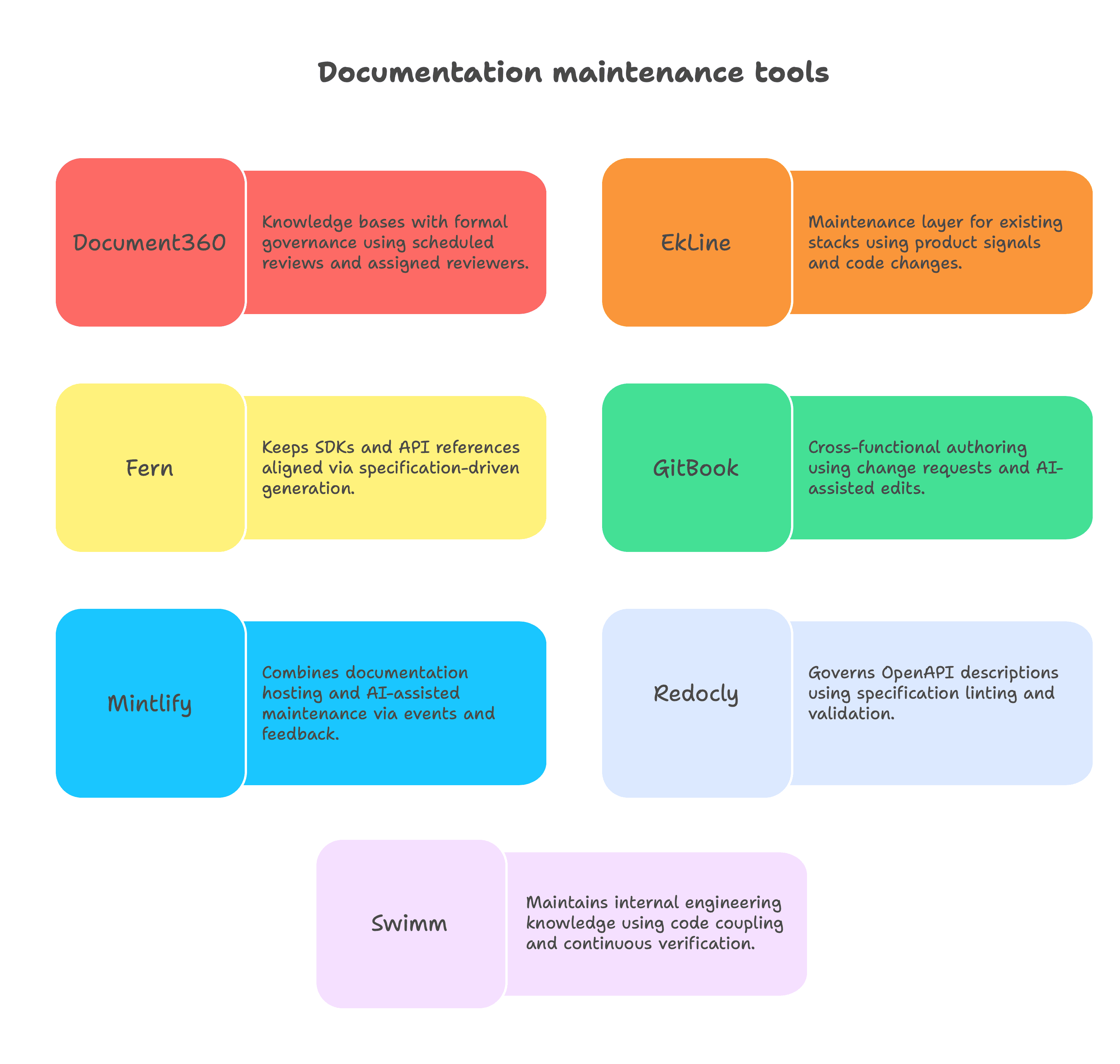
Organizations do not always need to choose only one product. A company might use Redocly to govern an OpenAPI definition, GitBook to manage collaborative content, or EkLine to connect broader product changes to documentation stored elsewhere.
Document360: scheduled governance for large knowledge bases
Document360 gives knowledge-base teams a structured way to decide when published articles must be reviewed.
Administrators can create recurring review schedules, assign reviewers, apply reminders to groups of articles, and mark overdue material as stale. These controls are useful for regulated content, internal procedures, multilingual knowledge bases, and large help centers with formal ownership requirements. Document360 review reminders
Its strength is governance rather than immediate product-change detection. A scheduled reminder tells the team that an article requires inspection, but it does not necessarily identify which release affected the page or prepare a correction from the underlying product change.
Document360 is a strong fit when the organization needs predictable review cycles and visible accountability. Teams that release often may need more automation to connect those releases directly to affected documentation.
EkLine: maintenance across an existing documentation stack
EkLine adds maintenance and review to a documentation stack you already run. It detects when documentation needs updating, prepares the change, and routes it for review, without replacing your documentation host.
It watches for drift in two layers. Automatic PR review reads every pull request as it opens, compares the diff against your existing documentation, and starts a documentation update when it detects impact. A scheduled drift audit then reviews recent code activity on a cadence you set and fixes the highest-priority change that merged without a docs update. Together they catch drift at the source and sweep for anything that slipped through, so accuracy does not depend on someone remembering to look. Prevent documentation drift
It reads more than code. Docs Agent can reconcile a pull request, a Linear or Jira ticket, a Slack thread, and a Notion or Confluence spec in a single pass. Because it draws on product decisions and user questions as well as the repository, it can maintain tutorials, guides, and troubleshooting pages that an API definition does not describe. Combine multiple sources
Every change is reviewable evidence. EkLine drafts each update as a pull request you can inspect, edit, or reject, traceable to the code, ticket, or thread that prompted it. Docs Reviewer runs on that pull request and checks style, terminology, and structure before it merges, so automation never publishes unattended. EkLine documentation
It covers recurring maintenance tasks. Beyond drift, scheduled agents keep code samples runnable, screenshots current, READMEs accurate, and knowledge-base pages in sync, each delivered as a pull request or a Slack summary. Scheduled documentation agents
EkLine is a maintenance and review layer rather than a full hosting, navigation, and search platform, and that is deliberate. It adds this automation on top of the documentation stack you already run, instead of asking you to migrate to a new one. Its results depend on access to trustworthy sources and an accountable reviewer who approves each proposed change.
Fern: synchronized API references and SDKs
Fern builds developer documentation and SDKs from shared API definitions.
Teams can combine authored Markdown pages with generated API references and show examples using their actual SDKs in languages including TypeScript, Python, Go, Java, PHP, Ruby, and C#. Fern documentation quickstart Fern SDK snippets
Fern is well suited to API-first companies that want client libraries, code examples, and reference documentation to remain aligned. Using the same structured definition for these outputs reduces the risk that they will describe different interfaces.
Its maintenance boundary is the API definition itself. Product concepts, UI behavior, support resolutions, migration guidance, and implementation advice often require sources and editorial work outside the specification.
GitBook: collaborative updates with controlled publishing
GitBook is a strong option when the maintenance bottleneck is cross-functional contribution and approval.
Its change requests behave like branches for documentation. Contributors can propose updates, discuss changes, request reviews, preview the result, and merge approved content. GitBook Agent can also implement requested edits or create change requests. GitBook change requests
This model gives engineers, product managers, support teams, and writers a shared process without requiring every contributor to work directly in a code repository.
Buyers should separate AI-assisted editing from maintenance detection. GitBook may make it easier to prepare and approve a change, but teams should verify which events can automatically identify that a page has become inaccurate.
Mintlify: hosting and maintenance in one platform
Mintlify combines developer-documentation hosting, editing, API-reference support, search, AI assistance, and automated workflows.
Its maintenance features include scheduled and event-driven workflows, broken-link detection, style linting, specification-based API updates, and documentation drafts following code changes. Questions from its documentation assistant and page feedback can also expose unclear or missing information. Mintlify maintenance guide Mintlify agent suggestions
Mintlify is well suited to organizations that want a modern documentation site and maintenance automation from the same provider.
That all-in-one approach can simplify the stack, but it also makes the publishing decision part of the maintenance decision. Teams satisfied with their existing host should compare the benefit of consolidation with the effort and consequences of changing platforms.
Redocly: API quality through specification governance
Redocly focuses on the quality and consistency of API descriptions.
Its CLI can validate OpenAPI, AsyncAPI, and Arazzo descriptions against built-in or customized rules. Teams can include these checks in development and continuous integration to catch errors before they affect generated references or reach users. Redocly lint command
Redocly is a strong candidate when API governance, standards enforcement, and reference publication are the central requirements. Deterministic specification checks can also be easier to trust than broader AI-generated assessments.
Its scope is more specialized than a complete documentation maintenance system. API linting does not identify every outdated onboarding guide, UI walkthrough, or support-derived troubleshooting page.
Swimm: continuous maintenance for internal code knowledge
Swimm connects engineering documentation directly to the code it explains.
Documentation can live with the repository, reference implementation details, and alert developers when related code changes. IDE integrations also help engineers find explanations while working with the relevant code. Swimm and documentation as code
This makes Swimm useful for architecture documentation, developer onboarding, service knowledge, and legacy-code understanding. It addresses the common problem of engineers distrusting internal documentation because they cannot tell whether it still matches the codebase.
Swimm's company focus changed in 2026. In May, its CEO announced that Swimm is becoming a service company centered on legacy modernization, while its docs product remains documented. Our EkLine vs Swimm comparison covers what that means for teams choosing a docs-sync tool.
Organizations evaluating Swimm for public documentation should verify how the workflow handles customer-facing editorial requirements, knowledge outside the repository, and external publishing destinations.
Test these tools with imperfect documentation
A polished vendor demonstration shows that software works under ideal conditions. It does not show whether the software can maintain your documentation.
Give every shortlisted vendor the same test set:
- A merged pull request that changed user-visible behavior
- An outdated quickstart
- A broken code example
- A renamed term appearing across several pages
- A repeated support question with no public answer
- An old page that remains completely accurate
Then evaluate what happens.
Can the product distinguish the accurate old page from the recently broken one? Can it identify every affected page? Does it explain why the change is needed? Can a reviewer inspect, edit, or reject the proposed update?
If the demonstration begins with "Tell the AI exactly what to rewrite," the product may be a useful authoring assistant. It has not yet demonstrated maintenance detection.
Six questions to ask before choosing a tool
What can trigger an update?
Ask about code changes, pull requests, API specifications, project tickets, internal discussions, support conversations, page feedback, search failures, and calendar schedules.
How does the tool find every affected page?
One authentication change might affect the quickstart, API reference, examples, troubleshooting guide, and migration documentation. Updating one obvious page is not enough.
Can reviewers inspect the evidence?
A proposed edit should be traceable to code, a ticket, an approved internal source, or another authoritative record.
What happens when confidence is low?
The safest response may be to flag a possible gap rather than write a confident but unsupported correction.
Does it work with the existing documentation stack?
A migration may be justified when hosting is part of the problem. It is unnecessary overhead when the current site works and maintenance is the only missing layer.
How do we measure success?
Possible measures include:
- Fewer stale high-risk pages
- Shorter documentation update cycles
- Fewer repeated support questions
- Less engineering drafting time
- More documentation updates shipped with releases
- Fewer broken links and code examples
Choosing the right documentation maintenance tool
The best choice depends on where documentation accuracy breaks down today.
Choose Document360 when the priority is scheduled governance, assigned ownership, and visible review status.
Choose EkLine when the existing publishing stack should remain in place but documentation updates need to connect with code, pull requests, and internal knowledge.
Choose Fern when SDKs, API references, and examples must stay synchronized through shared API definitions.
Choose GitBook when cross-functional contribution, discussion, review, and controlled publishing are the main concerns.
Choose Mintlify when the organization wants documentation hosting and AI-assisted maintenance in a consolidated platform.
Choose Redocly when OpenAPI governance, specification quality, and API-reference consistency are the primary requirements.
Choose Swimm when the most important documentation is internal engineering knowledge that must remain connected to the code.
No product is the universal winner. A strong decision identifies the existing gap first, then selects the tool, or combination of tools, that covers it without creating unnecessary migration, access, or review burdens.
Frequently asked questions
A documentation maintenance tool helps keep existing content accurate after publication. Depending on the product, it may schedule reviews, monitor code or specifications, find affected pages, draft corrections, validate content, or route proposed updates for approval.
Not necessarily. A platform may provide hosting, navigation, search, and editing without detecting when product changes invalidate existing pages. Some platforms include maintenance features, while other products operate as a maintenance layer across existing systems.
AI can reduce the work required to detect gaps and prepare updates, but human review remains important for technical accuracy, audience judgment, security, and publication decisions. Buyers should verify that reviewers can inspect sources and edit, approve, or reject every proposed change.
Use real documentation defects and recent product changes. Measure detection accuracy, affected-page coverage, source traceability, false positives, reviewer effort, and the time required to move from a product change to an approved documentation update.