EkLine vs Mintlify Autopilot: do you need both?
Mintlify Autopilot drafts docs after code merges. EkLine checks the code PR before merge, comments on docs PRs in CI, keeps your help center current, and shows whether AI assistants recommend you. Here is when to run Autopilot alone, EkLine alone, or both on one Mintlify site.
- Written by
- Arun Bhalla (opens in a new tab)
- Published on
- Read time
- 10 min

Your docs drift after every release. If they live on Mintlify Pro, your plan now includes Autopilot, an agent that opens pull requests when merged code changes. You have to decide whether a second tool is still worth it.
For most Mintlify Pro teams, run both, with no migration. Autopilot drafts docs after code merges. EkLine checks the code PR when it opens, before merge. On GitHub and GitLab, it comments on docs PRs in CI, including the PRs Autopilot opens. It keeps your Pylon help center or Confluence knowledge base current, with updates you approve. And it shows whether AI assistants recommend you.
At Socure, one technical writer merged 348 documentation updates in seven weeks.
TL;DR
- Autopilot is real upkeep. It drafts from merged code, runs a daily quality check, and keeps auto-merge off by default.
- EkLine acts before merge and writes beyond the docs repo. It reviews the code PR before merge, comments on docs PRs in CI, updates Pylon and Confluence, and checks what assistants recommend.
- Autopilot alone fits one Mintlify site, code-driven changes, and no separate help center.
- Most Mintlify Pro teams should run both. EkLine edits files in your repo and Mintlify publishes on merge, so nothing moves.
What Mintlify Autopilot does
According to Mintlify's Autopilot docs, it suggests updates when your code changes and "runs a once daily quality check." You can also set it to run on GitHub issues, published GitHub releases, events in connected tools such as a new Linear issue, and schedules. You set up those triggers by telling Autopilot in a chat, and you can ask it for work in Slack or in comments on its PRs.
Autopilot works with GitHub through the Mintlify GitHub App, with GitLab (gitlab.com and self-hosted, where it opens merge requests), and with Azure Repos. It reads your docs repo, selected code repos, Slack, and connected tools such as Linear, Jira, Confluence, Zendesk and Pylon.
Each run Autopilot starts on its own costs 250 credits when it opens or updates a pull request. A run that changes nothing costs nothing, and work you ask for directly costs no credits. Auto-merge is off: "By default, a person merges every Autopilot pull request." The setting appears only after your team has merged three Autopilot PRs. It then covers only the kinds of work your team reliably merged, and never a PR whose checks are failing or still running. Autopilot is separate from Mintlify's trigger-based automations feature.
Mintlify upkeep no longer starts by hand. Autopilot centers on one Mintlify site and on code that has already merged.
Where EkLine and Autopilot differ
Both tools open docs PRs. They differ in when they act, who reviews docs PRs, where they write, and whether they check what AI assistants say about you.
When each runs
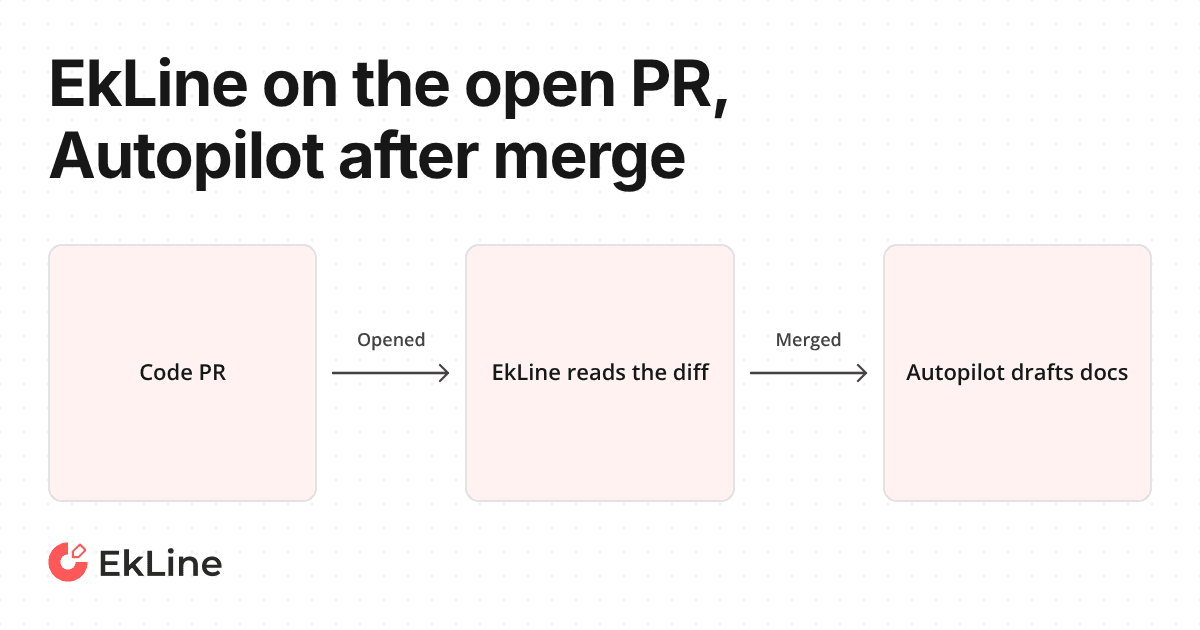
Autopilot drafts after code merges. EkLine's automatic PR review runs "when a PR is opened, marked ready for review, or has a label added or removed." It reads the PR diff, title and description. At high confidence it opens a docs PR. At medium it posts a suggestion on the PR, and at low it stays silent. EkLine comments on the code PR with a link to the docs update, so your reviewers can see it while the code change is still open. A scheduled drift audit reviews recent code changes on a cadence you set, finds customer-facing changes with no docs, and fixes the most important gap. EkLine also updates docs on demand from a merged change or a Jira or Linear ticket.
Review in CI
EkLine Docs Reviewer runs as a GitHub Action on pull requests and posts review comments. With its Mintlify setting, it checks the prose inside Mintlify components, and EkLine's docs say "Mintlify currently has the most complete component support." Docs Reviewer comments on docs PRs in GitHub and GitLab CI, including the PRs Autopilot opens, so the person merging an Autopilot PR sees style and terminology comments first. Mintlify's own guide to documentation drift says "pull request review is the safer setup for user-facing documentation."
Help center and knowledge base
Autopilot reads Pylon, Zendesk and Confluence as sources and writes to the Mintlify docs repo. EkLine writes to the knowledge base itself. For Pylon, it "Updates existing articles and creates new ones, when you click Update KB." For Confluence, it updates existing pages. If your customers read a help center or your support team works from a knowledge base, EkLine keeps it in step with the product, with updates you approve.
What AI assistants recommend
EkLine runs the questions your buyers ask through ChatGPT, Claude, Perplexity and Gemini. It shows which pages each one cited, drafts what is missing, and runs the question again to show whether the answer moved. Ask an assistant how to update API docs when a pull request changes an endpoint, and it may point you to Mintlify Automations, a feature Mintlify's pricing page lists on Enterprise. On Pro, the pricing page lists Autopilot, not Automations.
| Criterion | Autopilot alone on Mintlify Pro (status quo) | EkLine alone | Both |
|---|---|---|---|
| Catches a code change | After merge | When the code PR opens, before merge | Before merge, with Autopilot as a pass after merge |
| Other triggers | Daily quality check, GitHub issues and releases, integration events, schedules | Scheduled drift audit; on demand from a merged change or a Jira or Linear ticket | All of these |
| Docs PR review | By default, a person reviews each PR by hand | Docs Reviewer comments on docs PRs in CI, then a person merges | Docs Reviewer comments on Autopilot's PRs too, then a person merges |
| Help center | Read as a source; writes go to the Mintlify repo | Updates Pylon articles and Confluence pages you approve | EkLine keeps the help center current |
| AI assistant answers | Outside Autopilot's documented jobs | Checked in ChatGPT, Claude, Perplexity and Gemini, then rerun | Checked by EkLine |
| Where docs live | Mintlify | Your existing docs stack, Mintlify included | Mintlify, with no migration |
The tools overlap most on drafting a docs PR from code.
When Autopilot alone is enough
Take a team with one Mintlify site, no separate help center, and every docs change starting as a code PR. Mintlify turns on Autopilot automatically for new Pro and Pro-trial projects, and for projects that upgrade to Pro, when the project meets its prerequisites. It drafts from merged code, runs a daily quality check, and costs nothing when there is nothing to update. For that team, Autopilot alone is a sound choice.
That case weakens as the team grows. Docs PRs start to come from people and coding agents as well as Autopilot, and each one needs review. Support answers move into Pylon or Confluence. You want to know whether assistants recommend you. Autopilot's documented write path goes to the Mintlify repo. EkLine comments on docs PRs in CI, updates Pylon and Confluence, and checks what assistants recommend.
Running EkLine and Mintlify on one site
You keep Mintlify. On Mintlify, "EkLine edits the pages, the navigation file and other files in your repository, then opens a pull request. Mintlify publishes once you merge. EkLine does not use Mintlify's editor or API." If docs live in Git, setup takes 15 minutes. Nothing merges or publishes without a person approving it.
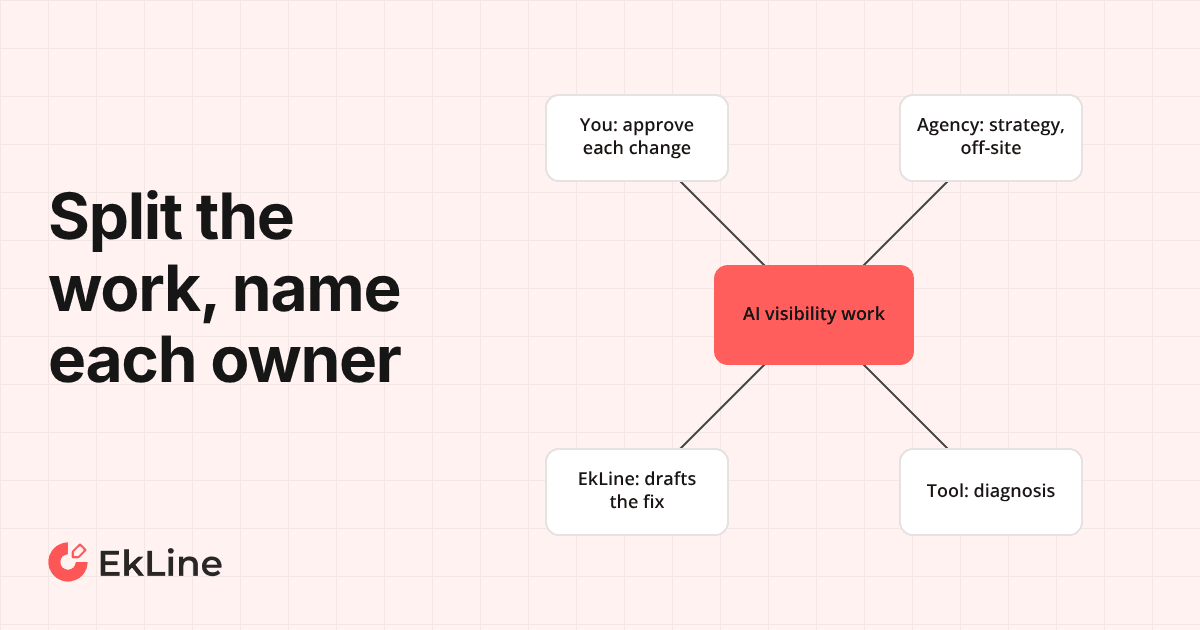
Two bots opening PRs on one repo is a fair worry. Give each change one owner:
- Autopilot drafts, EkLine reviews. Autopilot drafts docs after code merges. Docs Reviewer reviews each of its PRs in CI, and EkLine keeps the Pylon or Confluence help center current.
- EkLine drafts, Autopilot checks. EkLine owns docs for code changes and catches them when the code PR opens. Autopilot keeps its daily quality check, and a run that opens or updates nothing costs nothing.
Either way, a person approves every merge until your team decides otherwise. For the Mintlify side of the setup, read how to keep Mintlify docs up to date when code changes.
What changes with EkLine in the loop
Before: a code PR merges, Autopilot opens a docs PR later, and by default a person reviews it by hand. Help center articles wait until someone notices. After: EkLine spots the docs impact while the code PR is still open. Docs Reviewer comments on each docs PR. The help center gets an update you approve with Update KB.
At Socure, one technical writer did the equivalent of more than 1,000 hours of documentation work in seven weeks, with no added headcount. At ContextQA, engineers merged 97.5% of what EkLine proposed (79 of 81).
Pricing
Prices in USD from Mintlify's and EkLine's pricing pages, checked in November 2026.
| Plan | Mintlify | EkLine |
|---|---|---|
| Free | $0/mo; 5 editors; no credits or AI agents | $0; a free report and $20 of free credits, once; 2 repositories |
| Paid | Pro: $450/mo (annual) or $540/mo (monthly); unlimited editors; 10,000 credits/month ($0.01 per credit for overages); Autopilot at 250 credits per update (free when nothing needs updating) | Pay as you go: $50/month + usage ($0.01 per credit); unlimited knowledge base and docs repositories; custom AI automations; scheduled AI agents |
| Enterprise | Contact us; Automations listed here at 250 credits per update | Custom |
Both meter AI work in credits, so the cost of running both grows with the work each one does.
Which to choose
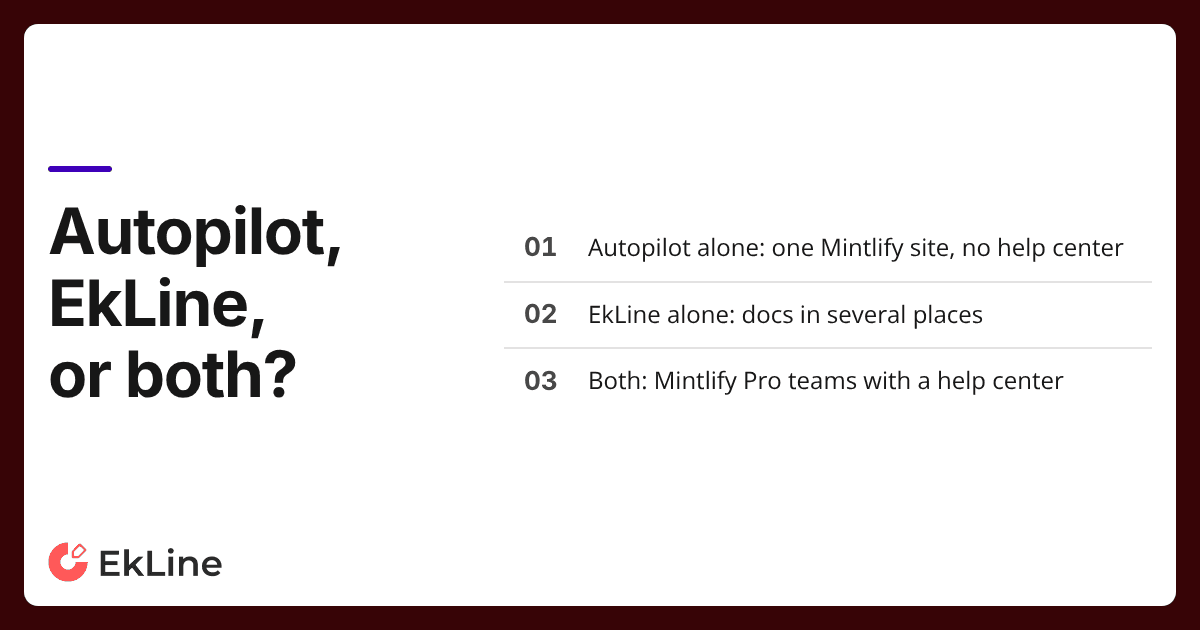
- Autopilot alone: one Mintlify site, every change starts as a code PR, and no separate help center.
- EkLine alone: you are not on Mintlify Pro, or your docs span several places, such as a docs site plus a Pylon or Confluence knowledge base. EkLine works with your existing docs stack with no migration.
- Both: Mintlify Pro teams with a help center or many contributors, human and agent. This is our recommendation for most readers. Autopilot drafts after merge. EkLine checks before merge, comments on docs PRs, keeps the help center current, and shows whether assistants recommend you.
If you are in the third group, start with EkLine's automatic PR review on the Mintlify repo you already have.
Start free and point EkLine's automatic PR review at your Mintlify repo.
FAQ
Mintlify's "Update from code changes" automation "Monitors your source code repositories and opens pull requests." It sits under Automations, which Mintlify's pricing page lists on Enterprise. On Pro, Autopilot drafts a docs PR after the code merges. EkLine's automatic PR review reads the PR diff when the PR opens and, at high confidence, opens a docs PR on GitHub or GitLab (gitlab.com), whatever docs platform builds from your Git repository.
Yes, with no migration. EkLine edits the files in your Mintlify repo and opens a pull request, and Mintlify publishes once you merge. EkLine does not use Mintlify's editor or API.
For one Mintlify site with no help center and every change starting in code, Autopilot can cover drafting. EkLine adds review of the code PR before merge, CI comments on docs PRs, Pylon and Confluence updates, and checks of what assistants recommend. Pro teams with a help center or many contributors get the most from running both.
No. Mintlify's built-in automations include "Fix broken links," "Fix grammar & typos," and "Enforce your style guide." Mintlify's own drift guide still says "pull request review is the safer setup for user-facing documentation." Docs Reviewer comments on docs PRs in CI, whichever tool opened them.
Only once you allow it. Autopilot's auto-merge is off by default, appears after your team has merged three Autopilot PRs, and never merges a PR whose checks are failing or still running. With EkLine, nothing merges or publishes without a person approving it.
Sources
- Mintlify docs: Autopilot
- Mintlify pricing
- Mintlify docs: Use automations
- Mintlify docs: Automations reference
- Mintlify: How to stop documentation drift
- EkLine: Automatic PR review
- EkLine: Keep documentation in sync with code
- EkLine: Docs Reviewer GitHub Actions integration
- EkLine: Framework support
- EkLine: Manage a Confluence or Pylon knowledge base
- EkLine: Docs on Mintlify and other docs hosts
- EkLine case study: Socure
- EkLine case study: ContextQA
- EkLine blog: How to keep Mintlify docs up to date when code changes
- EkLine pricing