Material for MkDocs maintenance mode: keep your docs accurate now
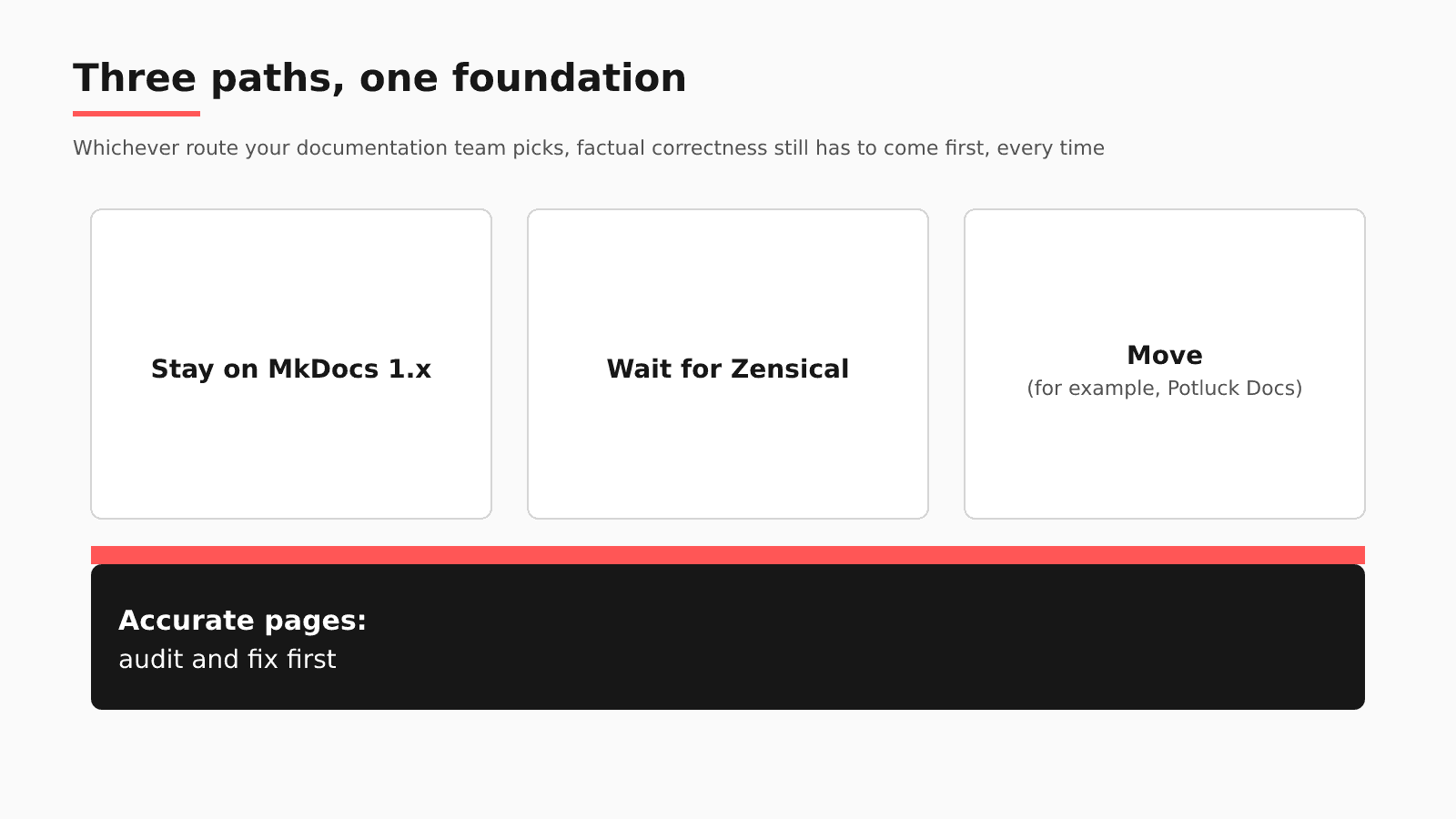
As of October 8, 2026, you can stay on MkDocs 1.x for now, wait for Zensical, or move. None of those choices makes a stale page true, so audit and fix accuracy first: stale pages migrate with you, and the fixes count under any choice.
- Written by
- Puneet Arora (opens in a new tab)
- Published on
- Read time
- 9 min

"Material for MkDocs is in maintenance mode and MkDocs 2.0 won't support it. What do I do with my docs now?" As of October 8, 2026, you can stay on MkDocs 1.x for now, wait for Zensical, or move. None of those choices makes a stale page true, so audit and fix accuracy first: stale pages migrate with you, and the fixes count under any choice.
An engineer renames an argument on a Python function. mkdocstrings regenerates the API reference from the docstring, but the tutorial that calls the function with the old argument stays wrong. The same week, someone moves a file that a pymdownx snippet pulls from; the build passes and the snippet is gone from the page.
Where the MkDocs stack stands on October 8, 2026
- Material for MkDocs: on November 5, 2025, its team announced that "Material for MkDocs is in maintenance mode," with support "for at least the next 12 months, fixing critical bugs and security vulnerabilities as needed."
- MkDocs 2.0: the Material team's post (February 18, 2026, updated October 2, 2026) says MkDocs 2.0 was "published as a pre-release on PyPI" in August 2026, that "No official release date has been announced yet," and that "MkDocs 2.0 won't have a plugin system." Of its own theme, the team writes that "it will cease to work with MkDocs 2.0."
- Zensical: version 0.0.68 shipped on October 5 and 0.0.69 followed on October 8, both classified as alpha on PyPI. Its roadmap banner announces a "November 5 Zensical 0.1.0, Studio, and Spark Community launch," and the roadmap says "Our roadmap is directional and does not promise delivery dates." Its compatibility page says "Zensical can build existing MkDocs projects without requiring changes."
- mkdocstrings: the project homepage, checked October 8, 2026, warns "mkdocstrings is in maintenance mode!"
To stay on 1.x is one team's choice; FeldrinH wrote on April 6, 2026, "We are using MkDocs 1.6 and for the time being have no plans or bandwidth to migrate." Waiting for Zensical trades an alpha release and a directional roadmap for keeping your mkdocs.yml and Markdown, with plugins checked against Zensical's replacement list. If you move, the target that risks least of your accuracy work keeps your docs as Markdown in Git, because the fixes you make now, and the pull request loop around them, move with the files. Potluck Docs is one: an MIT-licensed Astro and Starlight template maintained by EkLine. Its site lists "Three example OpenAPI references, rendered by Scalar with a built-in client for sending real requests," private docs for signed-in readers and org-scoped docs for one org's members, and a sitemap and llms.txt "generated on every build." It describes itself as "a template, not a hosted product," so hosting stays with you. For the side-by-side platform comparison, read our guide to Material for MkDocs maintenance mode.
What MkDocs and its extensions already check
- The
strictsetting: "Set totrueto halt processing when a warning is raised." It defaults to false. In MkDocs 1.6, a missing file reports as a warning and a missing anchor only as info, so a strict build fails on a deleted page but passes a dead heading link until you raise anchor validation to warn. - pymdownx Snippets: "an extension to insert markdown or HTML snippets into another markdown file." With line ranges, a page can show selected lines of a real file. With
check_pathsat its default of off, a missing file means "the markup will be removed"; with it on, the build fails. - mkdocstrings: "Automatic documentation from sources, for MkDocs." Reference pages are rebuilt from docstrings, so signatures follow the code.
Plugins lose their home in MkDocs 2.0. Snippets is, by our reading, a Markdown extension instead, but neither source says whether MkDocs 2.0 supports it, so test it.
What still drifts on a Material site
Run a test on your own site. Open the last merged pull request that renamed an argument or changed what a function does. Did anything flag the tutorial that calls it? On the next build, mkdocstrings shows the new signature, the strict build is green, and the tutorial still passes the old argument.
| Native check | What it verifies | What it does not see | Where EkLine fits |
|---|---|---|---|
strict | Links to missing files, and anchors once you raise their level | A tutorial whose links all resolve but whose call is out of date | Automatic PR review assesses the code pull request that renamed it |
| Snippets | Lines pulled from a real file, and with check_paths on, that the file exists | The prose around the snippet, and code in another repository | Docs Agent drafts the prose fix as a Markdown pull request |
| mkdocstrings | Reference pages rebuilt from docstrings | Tutorials and how-tos that call the function | A weekly Docs Drift Review sweeps changes that merged without docs |
The moved snippet is quieter. With check_paths off, Snippets removes the include and the page publishes with a hole where the example was.
When is that enough? If your Python code and docs share a repository and the pull request holds every fact a tutorial needs, mkdocstrings plus a same-PR rule keeps pages right. If the facts sit in a ticket, a Slack thread, a spec, or another repository, the rule runs on memory, and the Ask HN thread on keeping documentation current shows commenters relying on docs-first habits and nightly scripts.
Four checks to run on your MkDocs site this week
- Turn on
strictand raise anchor validation from info to warn, so broken headings fail the build alongside missing pages. - Set
check_pathsto true for Snippets, so a moved source file stops the build instead of leaving a blank. - List every plugin your site depends on: plugins don't carry to MkDocs 2.0, and each one needs a match in Zensical or in the framework you would move to.
- Audit your most-visited pages for accuracy before any move, starting with tutorials that call functions whose signatures changed recently.
Why not fix accuracy during the migration?
A migration touches every page, so cleaning up then feels efficient. But migration work competes with accuracy work: Redocly's tips for documentation migration include a rollback plan: "Rolling back early is better than rolling back late." The migration date may also never come: MkDocs 2.0 is undated, and Zensical is in alpha.
How EkLine plugs into a Material for MkDocs repo
| Question | On a Material for MkDocs site |
|---|---|
| Where your content lives | Markdown in docs/ next to mkdocs.yml, as the Material setup guide lays out, in a GitHub or GitLab repository |
| What EkLine watches | Code repositories you select in the GitHub App, listed apart from documentation repositories; GitLab merge requests too |
| When it reads a change | Docs Agent reads each pull request as it opens; a weekly Docs Drift Review audits the last 30 days of GitHub activity |
| Where its pull request lands | Your docs repository, as Markdown edits in a pull request under the configured documentation path |
| Which CI check runs | Docs Reviewer, which checks each docs change for style, consistency, links, and accuracy, through the GitHub Action. Its framework values are mintlify, astro, fern, docusaurus, and gitbook, so on MkDocs it reviews your Markdown without framework-specific component handling |
| What stays in MkDocs | mkdocs.yml, the Material theme, your plugins, your build, and your hosting |
Follow the rename through it. The engineer opens the pull request in the code repository, and automatic PR review assesses it once, from "the PR diff, title, and description." A high-confidence result triggers a docs pull request; a medium one posts a suggestion comment and leaves the call to you. The fix to look for is the tutorial line that still passes the old argument; your team merges it, and your MkDocs build publishes it. If the reason for the rename lives in a Jira ticket, the PR review won't read it, so open a Docs Agent session and combine the pull request with the ticket. Docs Agent is available to all plans, but we grant access on request.
Docs Agent works on Markdown in a GitHub or GitLab repository, so after a move, point the documentation path at the new content folder.
Can an accuracy pass cover most of a site before you decide on a move? ContextQA, whose docs are hosted on GitBook rather than MkDocs, used EkLine over one quarter, April 7 to July 6, 2026, and "brought about 80% of the documentation set, 90 of 113 pages, up to date." Finish a pass like that before you move, and the new site starts from true pages.
FAQ
No. MkDocs, the Material theme, mkdocs.yml, your plugins, and your hosting stay where they are. EkLine reads pull requests in your code repositories, opens Markdown pull requests in your docs repository, and adds Docs Reviewer as a CI check on that Markdown.
It should, as long as the new site keeps its Markdown or MDX in a GitHub or GitLab repository, because Docs Agent works on repositories and pull requests. On an Astro and Starlight site such as Potluck Docs, Docs Reviewer's astro framework value applies.
A script covers some ground. In the Ask HN thread, cyanydeez described "a for loop that runs nightly on any files updated the prior day," pointing local AI at the Markdown beside each changed file. On MkDocs, docstrings already play that role through mkdocstrings, while the tutorials that call a function sit elsewhere in the docs folder. Someone still checks every rewrite, the half rstagi flagged: "it's hard to fact-check everything all the time." EkLine drafts tutorial fixes as pull requests for review, and because they are plain Markdown, they carry over if you move.
Bring one recent pull request that changed a Python signature. To see what EkLine would change in your tutorials, book a demo with EkLine.
Sources
- Material for MkDocs blog: Zensical announcement, November 5, 2025
- Material for MkDocs blog: MkDocs 2.0, updated October 2, 2026
- Material for MkDocs: Creating your site
- Zensical on PyPI
- Zensical v0.0.68 release
- Zensical compatibility
- Zensical roadmap
- mkdocstrings
- Option to disable MkDocs 2.0 warning from mkdocs.yml (issue 8581)
- MkDocs configuration
- PyMdown Extensions: Snippets
- Ask HN: How do you keep documentation up to date with AI generated code?
- Redocly: Tips for documentation migration
- Potluck Docs on GitHub
- Potluck Docs site
- EkLine blog: Material for MkDocs maintenance mode
- EkLine docs: GitHub App setup
- EkLine docs: Changelog
- EkLine docs: Automatic PR review
- EkLine docs: Prevent documentation drift
- EkLine docs: Update and review documentation
- EkLine docs: GitHub Action quickstart
- EkLine docs: Documentation framework support
- EkLine docs: Combine sources
- ContextQA case study